For subcontractors in every trade
Every order, every main contractor, one desk.
Tenders, prices, applications, variations, retentions and cash for all your jobs, in one place. Each order keeps its own terms and dates, and you see the whole business at a glance.
Supply and fix, labour only, or both. Built in the UK for UK payment rules.
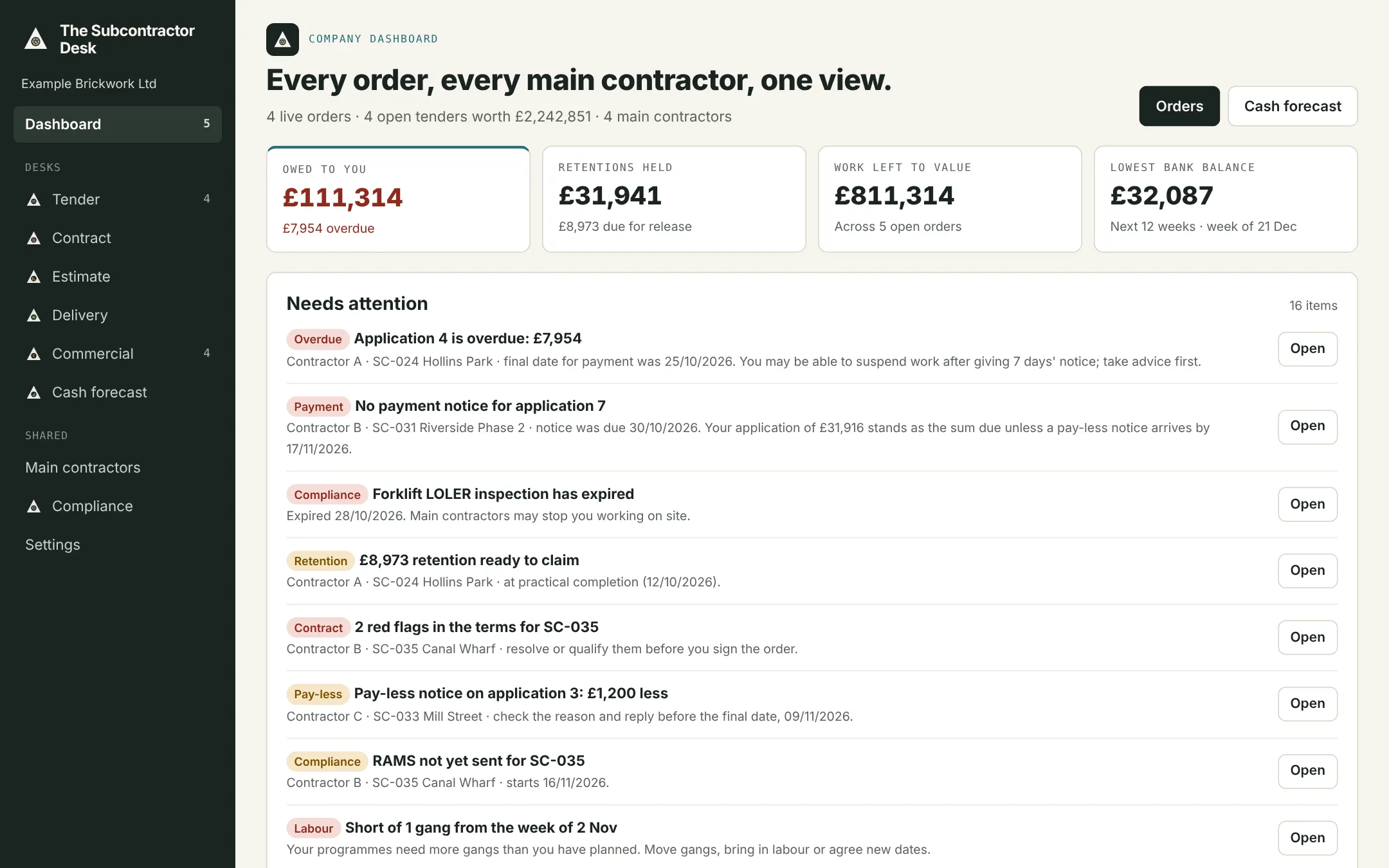
NEEDS ATTENTION · EXAMPLE
Your £31,916 application now stands as the sum due
Practical completion certified 12 Oct
Change of facing brick, plots 30–52
Unless application 7 is paid on time
Where subcontractors lose money
It isn't the work. It's what happens to the paperwork after.
Payment notices missed
Main contractors miss notice dates and you don't hear. The Construction Act protects you only if you know.
Variations left unpriced
Instructions given on site, never priced, never paid. Each one is logged with its evidence and chased.
Retentions forgotten
Money held for years across a dozen main contractors. Release dates tracked and claims prompted.
No view of cash
Spreadsheets per job, none for the business. One forecast from every order's real payment dates.
Six desks, one record per order
From tender to final payment
Each desk covers one stage of an order. Enter a figure once and it flows forward: the won price becomes the budget, progress becomes the valuation, the application becomes cash.
DESK 1
Tender
Every enquiry from every main contractor in one register, with a bid or no-bid check before you spend days pricing.
DESK 2
Contract
Check each order's terms against your own: payment, retention, damages, set-off. Red flags before you sign, not after.
DESK 3
Estimate
Price the way your trade does: measured rates from drawings, a price per plot for each fix stage, or a lump sum. Supply and fix or labour only.
DESK 4
Delivery
Programme by activities, by plot sequence or from labour days. A plot tracker, gangs across all jobs, daywork signed on site.
DESK 5
Commercial
Applications on time, payment and pay-less notices tracked, variations priced and chased, retentions claimed.
DESK 6
Cash and dashboard
Every order and every client on one screen, and a cash forecast built from real payment dates.
Estimate desk
Price the way your trade already does.
Three ways to price, one engine underneath, and a rate library and stage templates for each trade that you change to your own.
- 1Measured rates
Dimensions from your drawings × rates built from gang, output, materials, plant, on-costs and profit. For brickwork, groundworks, plastering and roofing. - 2Plot and stage
A price per house type for each stage, such as 1st, 2nd and final fix, × the plots of each type. For electrical, plumbing, joinery and housing brickwork. - 3Lump sum
One price from labour, materials and plant, for small jobs and early figures. Add preliminaries, provisional sums, risk and discount to any of them. - 4Win and run
The price becomes the budget. Plot stages become a tracker that values each application; labour days set the programme.
Built for UK subcontracting
The rules are in the system, not in your head.
Payment and pay-less notices
Due dates, notice dates and final dates for every application, with an alert the day one is missed.
Retentions
What each main contractor holds and when it's due back, at practical completion and after defects.
CIS and reverse charge VAT
Shown correctly on every application and invoice to a main contractor.
Compliance documents
Insurances, RAMS, CHAS, Constructionline and CSCS cards, with expiry reminders.
Works with Excel
Bring in your rates, measurements and order lists from Excel, and export any screen to Excel when you need it.
Founding firms
Help shape it, and use it free while we build it.
We're working with a small number of subcontractors on live orders. You get the desks free during the pilot; we get your honest feedback.